Design priorities
Making ring selection clear, flexible, and personal across the entire shopping journey.
Product design · UX strategy · UI Design
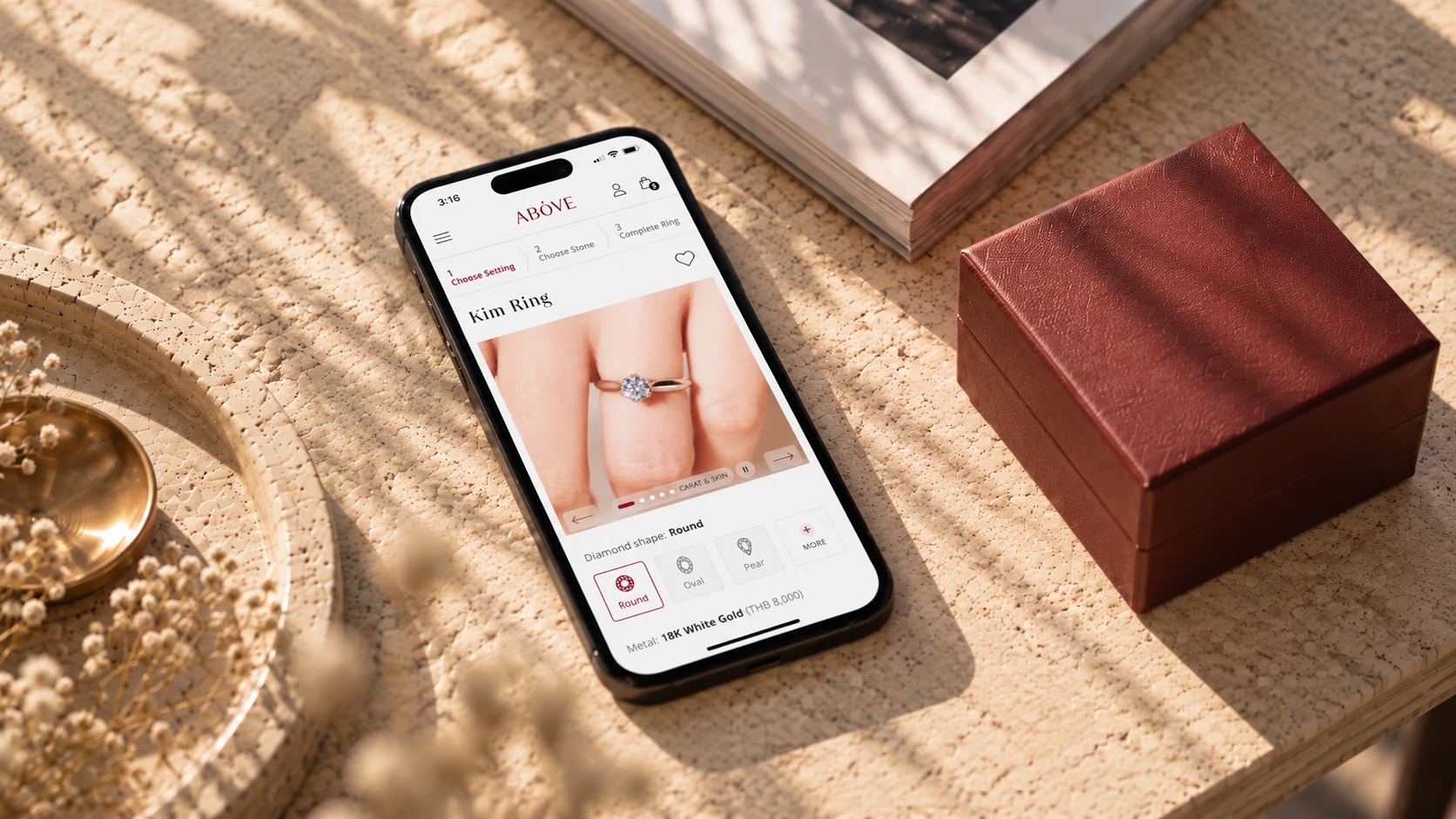
Above Diamond brings together engagement rings, wedding bands, and fine jewelry within a responsive shopping experience. Its custom-ring journey connects the selection of a setting and diamond with sizing, engraving, and purchase.
The design focused on organizing specialist product information around these decisions, while using imagery, educational content, and service information to help customers evaluate what they were choosing.
Choosing a diamond goes beyond carat and price. Customers must understand the 4Cs—cut, color, clarity, and carat—alongside choices about the setting, materials, and how the ring will look when worn.
The challenge was to make these decisions clear for customers without prior knowledge, helping them create a ring that matched their preferences and budget.
Making ring selection clear, flexible, and personal across the entire shopping journey.
Make trade-offs between diamond quality, appearance, setting, and price understandable to customers without specialist knowledge.
Support either starting point—diamond or setting—through customization and purchase, with room to revisit choices.
Help customers judge the ring’s proportions and how diamond and metal colors complement their skin tone.
Keep filters, product details, and customization easy to use on smaller screens, with selected options clearly visible.
Organize collections, educational content, support, and services so customers can find guidance when they need it.
International jewelry websites were reviewed across search, filters, layouts, and purchase journeys. Findings informed which patterns to adapt, simplify, or extend.
Discussions with the owner aligned research findings with business priorities, defined the scope, and shaped how selection, customization, and purchase should connect.


Customers can begin with a setting or a diamond, whether they have a specific preference or are still exploring. Both paths bring the selected components together for personalization, price review, and checkout.


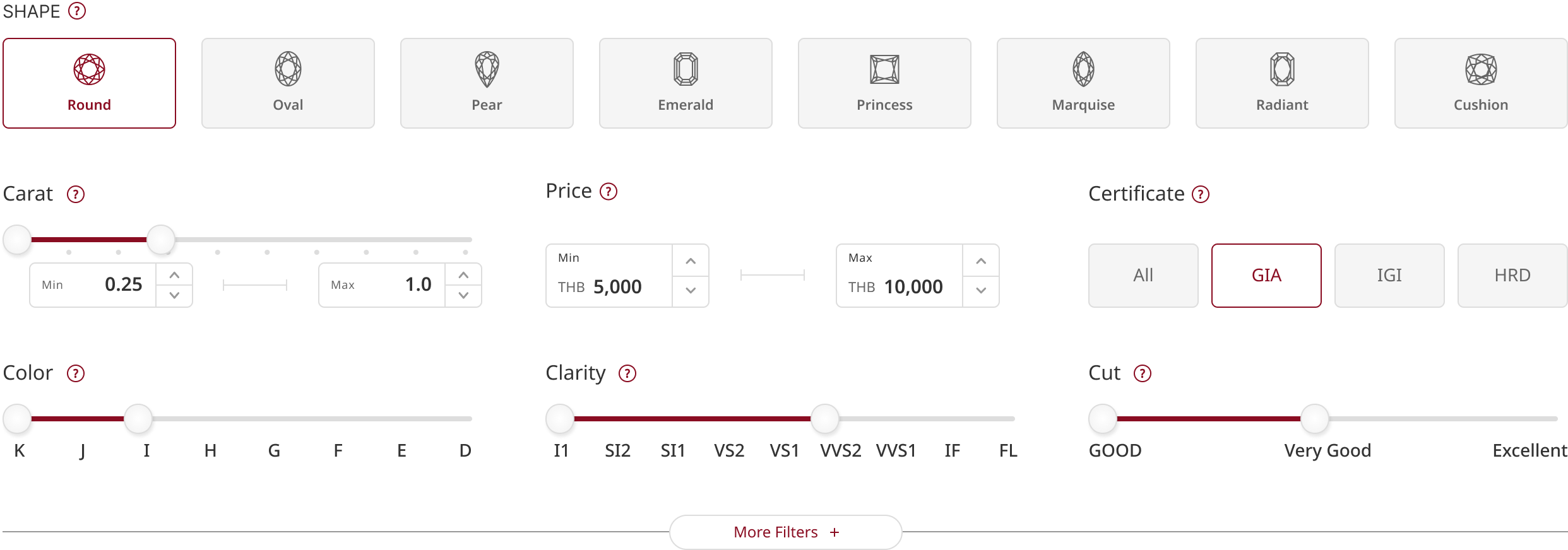
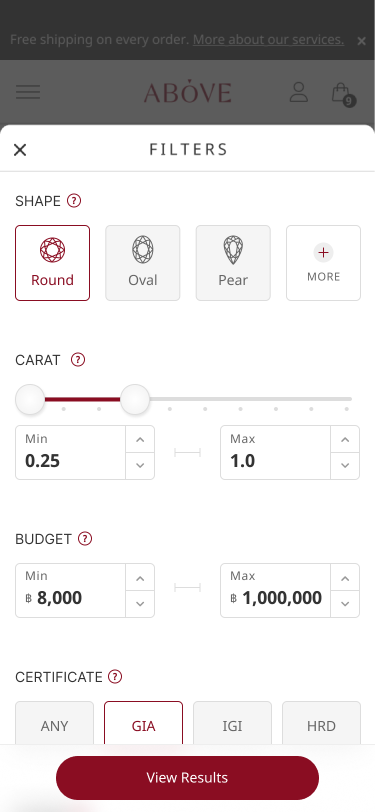
Essential filters are grouped for quick scanning, with visual controls for key attributes. Advanced specifications remain available through “More filters” for customers who need greater precision.
Desktop keeps key filters visible for comparison, while mobile moves detailed controls into focused panels. Selection state, result count, and primary actions remain accessible across both layouts.
A consistent step indicator shows customers where they are, what comes next, and the choices they’ve made as they build their ring.

Interactive previews help customers explore ring proportions and metal colors against different skin tones. Customization controls make choices easier to picture before completing the ring.

The mega menu organizes entry points by diamond type, shape, color, and ring setting, helping customers begin with what they already have in mind.

Visual explanations bring meaning to diamond specifications, making quality and grading easier to understand alongside appearance and price.


“I was impressed from our first briefing.
His professionalism showed in how thoroughly he prepared, asked thoughtful questions, and understood the client’s needs.He brings strong UX/UI experience and a design standard that gave us confidence throughout the project.”
— K. Wit, Owner of Above Diamond
Above Diamond united exploration, preview, personalization, and purchase in one cohesive experience. Flexible starting points and clear guidance gave customers greater control over creating jewelry around their preferences and budget.
Across desktop and mobile, the design brought the detail and personal attention of a jewelry consultation into an intuitive online journey.