Product Design · UX Strategy · Configuration Software

LOGA’s
Configuration System

Industry

Gaming

Peripheral Software

Role

Product Designer

Scope

UX Research

UX Strategy

Information Architecture

Interaction Design

UI System

Prototyping

Platform

Web App

Year

2024

Market

Thailand

Overview

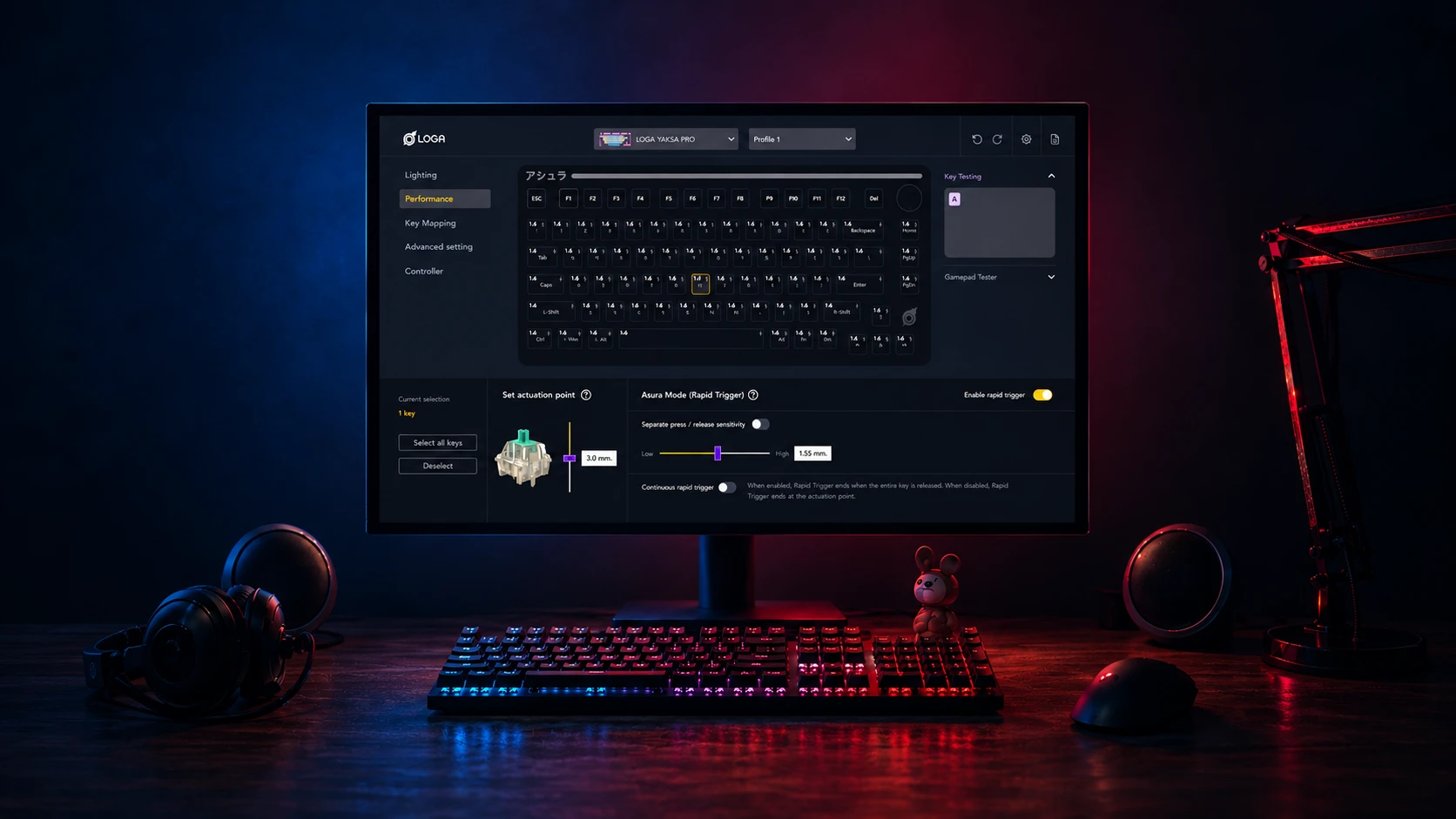
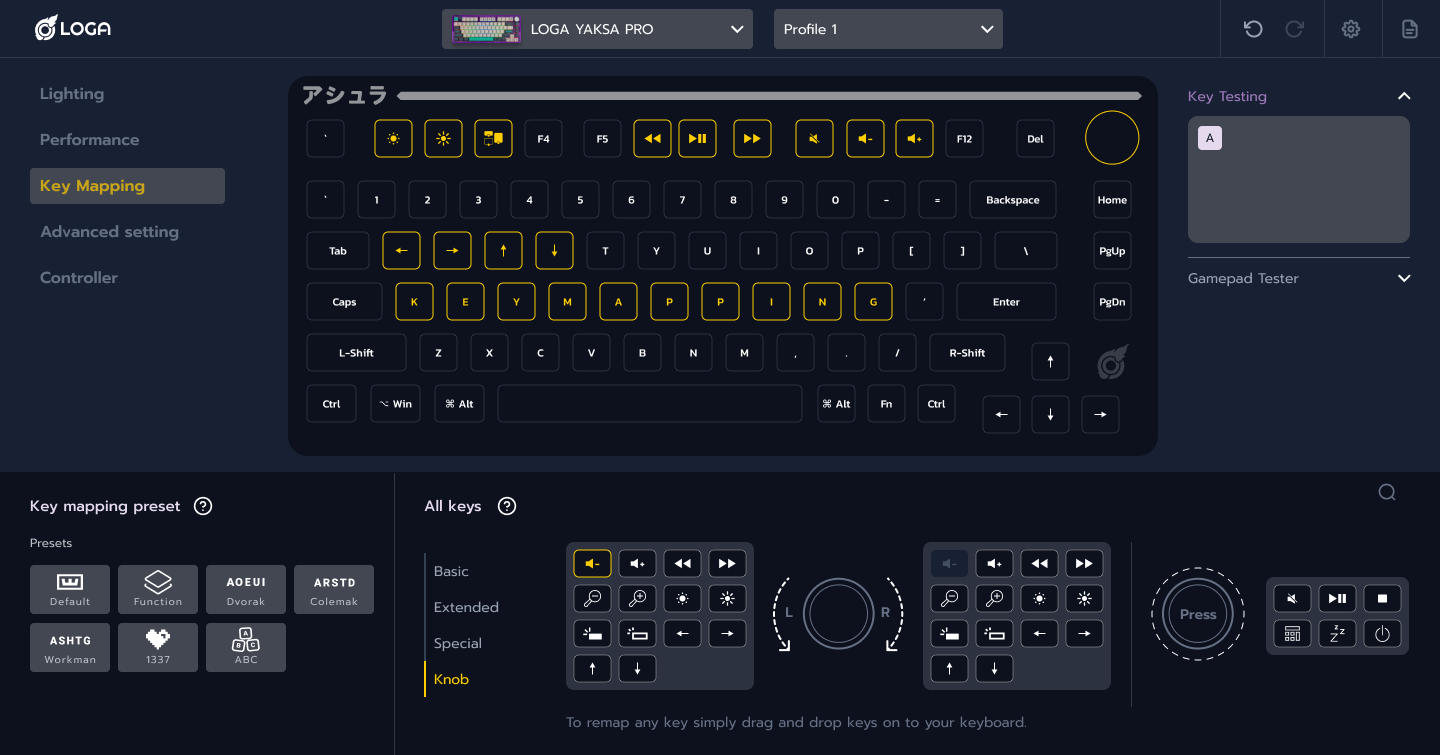
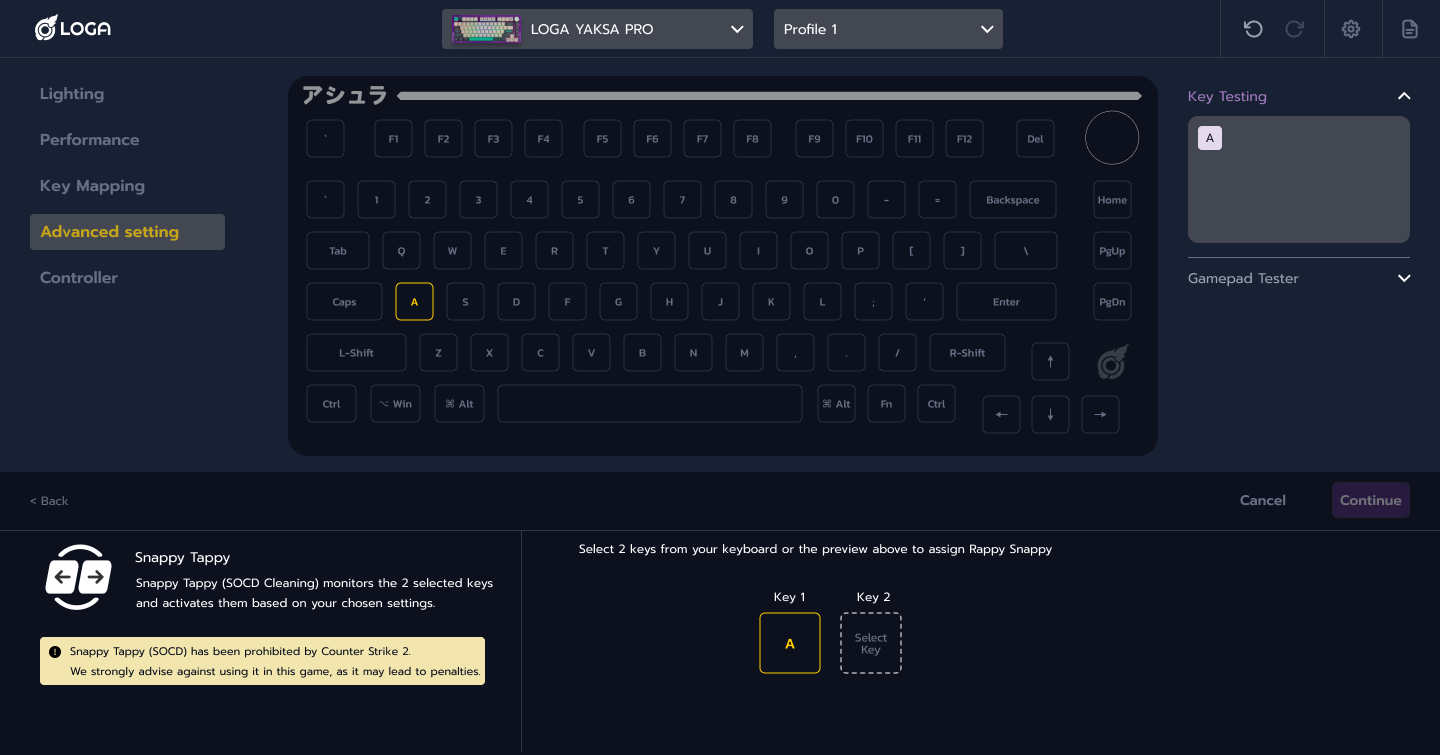
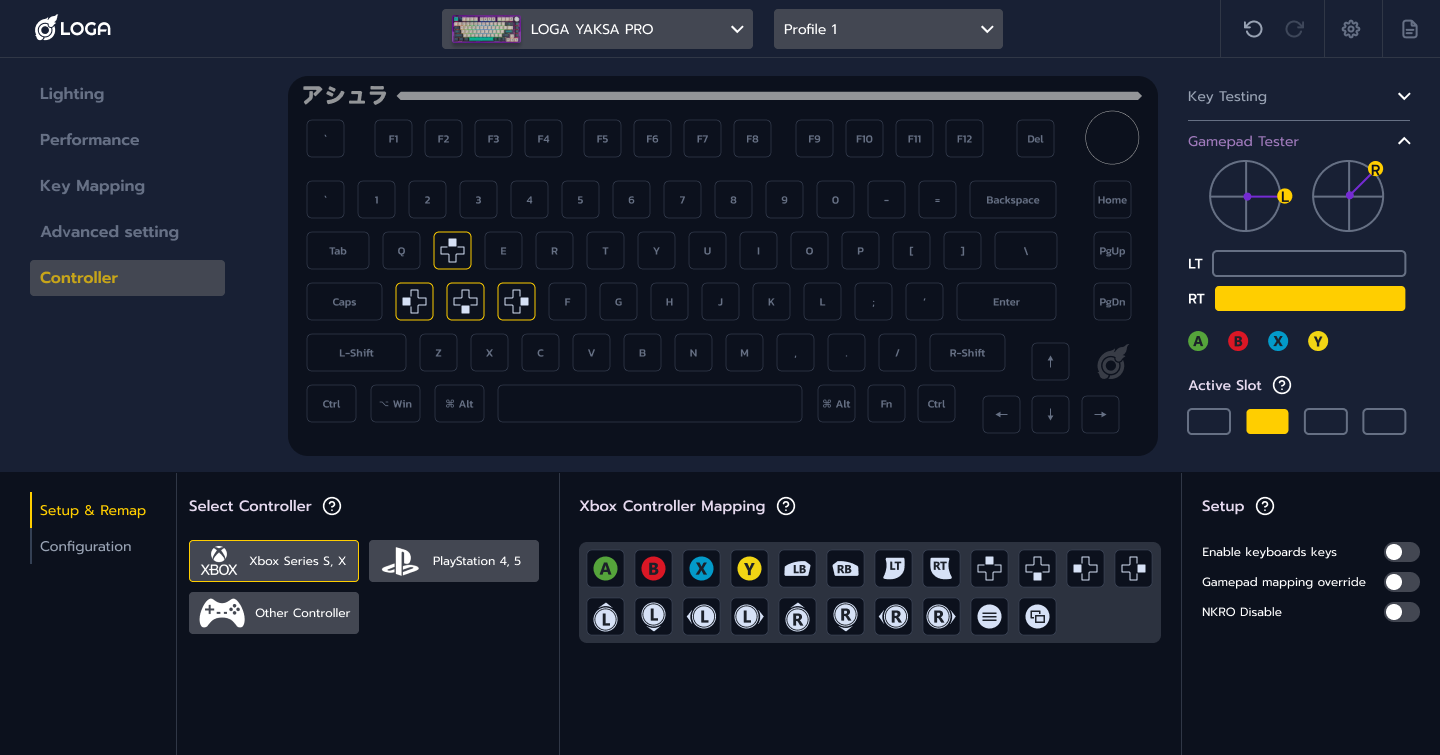
LOGA Configuration System is software for customizing gaming peripherals, from key mappings and lighting to advanced input settings.

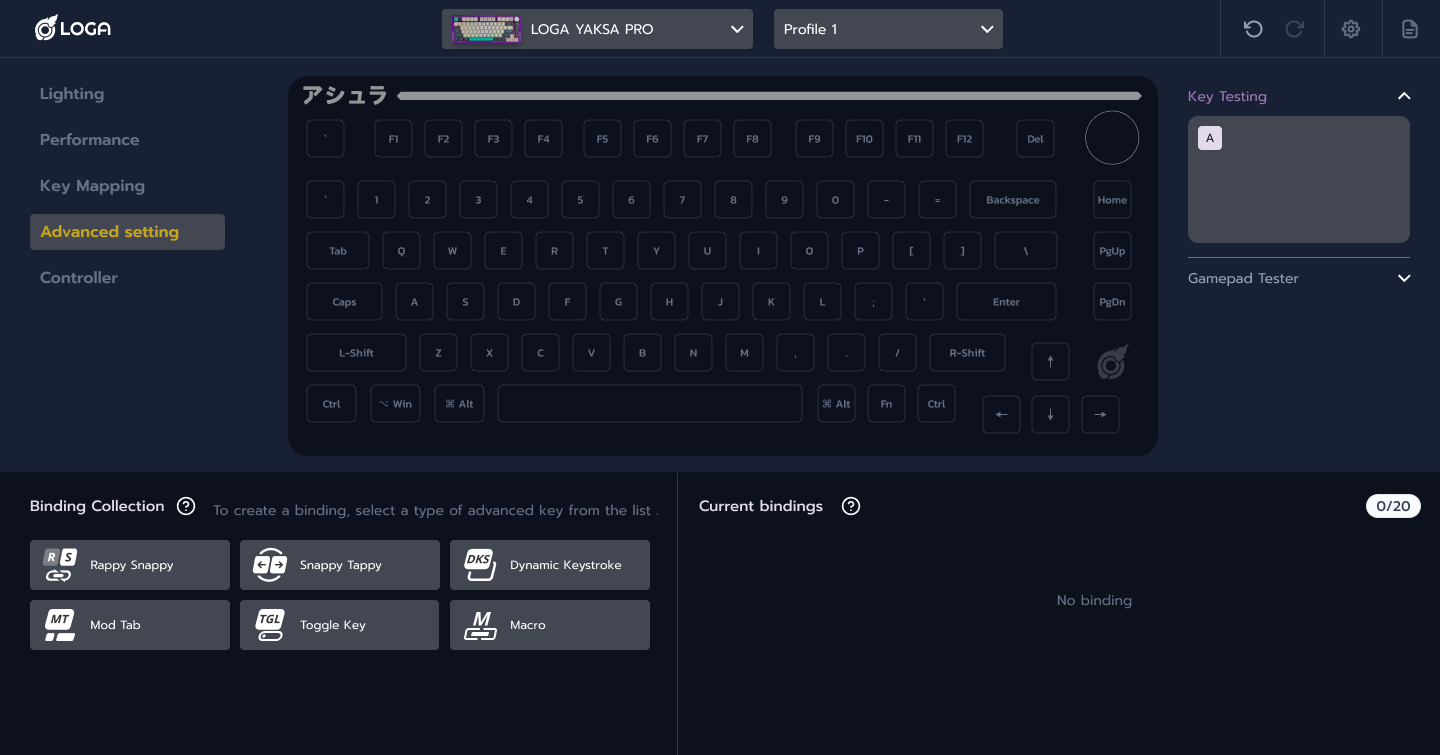
As devices and features expanded, the interface became harder to navigate. The redesign focused on organizing these controls into a shared system that could support different devices and future features.

Key objectives

  • Make advanced settings easier to understand while keeping users in control.
  • Reduce switching between screens when configuring a device.
  • Keep controls and feedback consistent across features and devices.
  • Support new devices and features without rebuilding the interface.

Research Focus

Research covered gaming peripheral software and advanced keyboard technologies. I compared how settings were organized and how users moved between tasks, focusing on where the interface made complex features harder to understand.

How much complexity came from the technology,and how much came from the interface?

Advanced features can take time to learn.

The research focused on separating that learning from the extra effort caused by scattered settings, inconsistent controls, and unclear feedback.

This distinction guided what needed clearer explanation and what needed a simpler structure, while preserving the capabilities of each feature.

The old system used too much space and its workflows were not well aligned.

Existing System Challenges

Inconsistent workflows

Layouts and controls differed across features and devices, so users had to learn each workflow separately.

Higher learning effort across workflows.

Too much at once

Advanced settings were shown together, making key controls harder to find and understand.

Slower scanning and comprehension.

Hard to extend

New devices and features were difficult to add without making the interface more complex.

Expansion increased structural complexity.

Unclear feedback

Settings offered little context or feedback, making it hard to understand what changes would do.

Changes became harder to predict and control.

From Features to a Configuration System

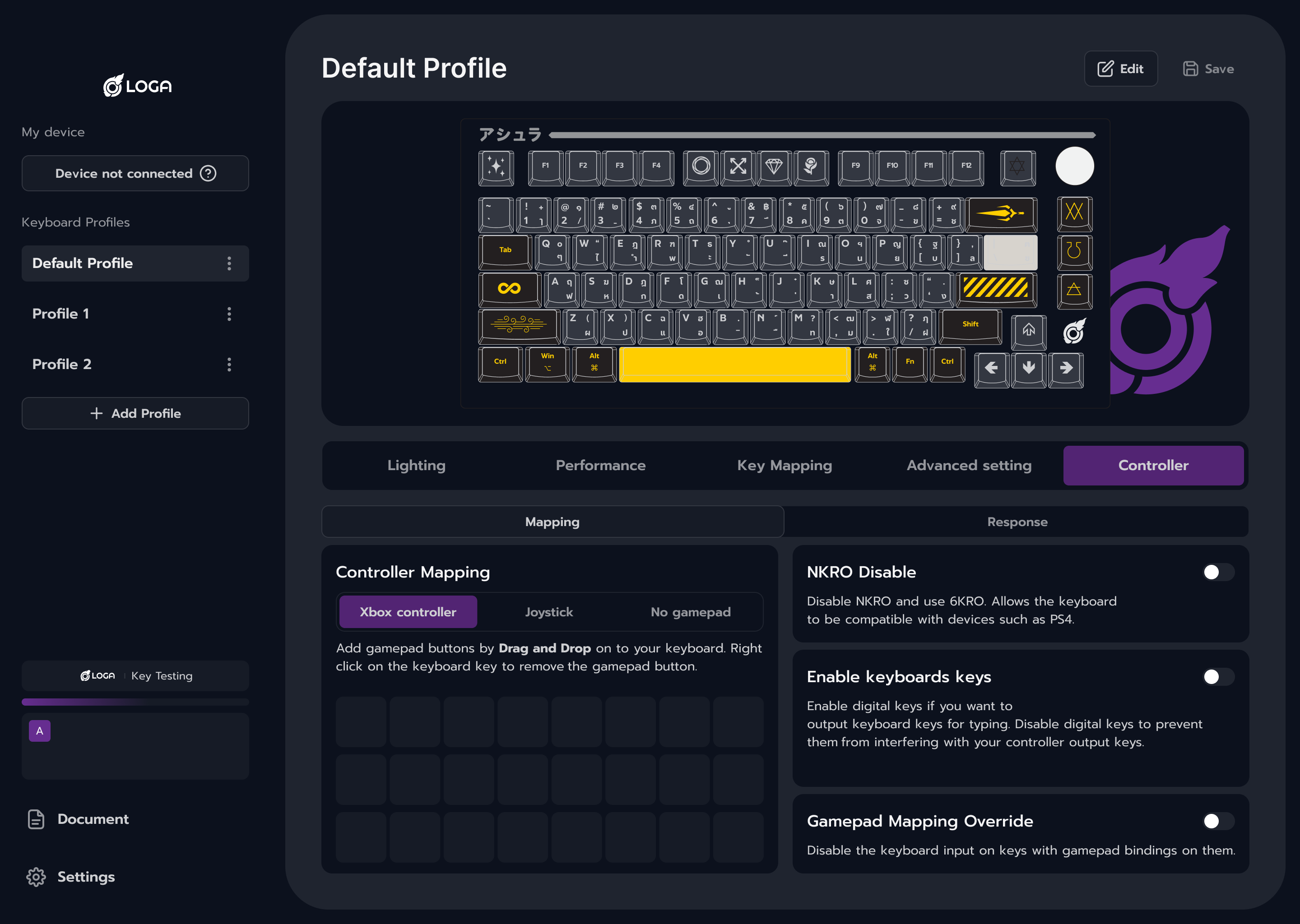
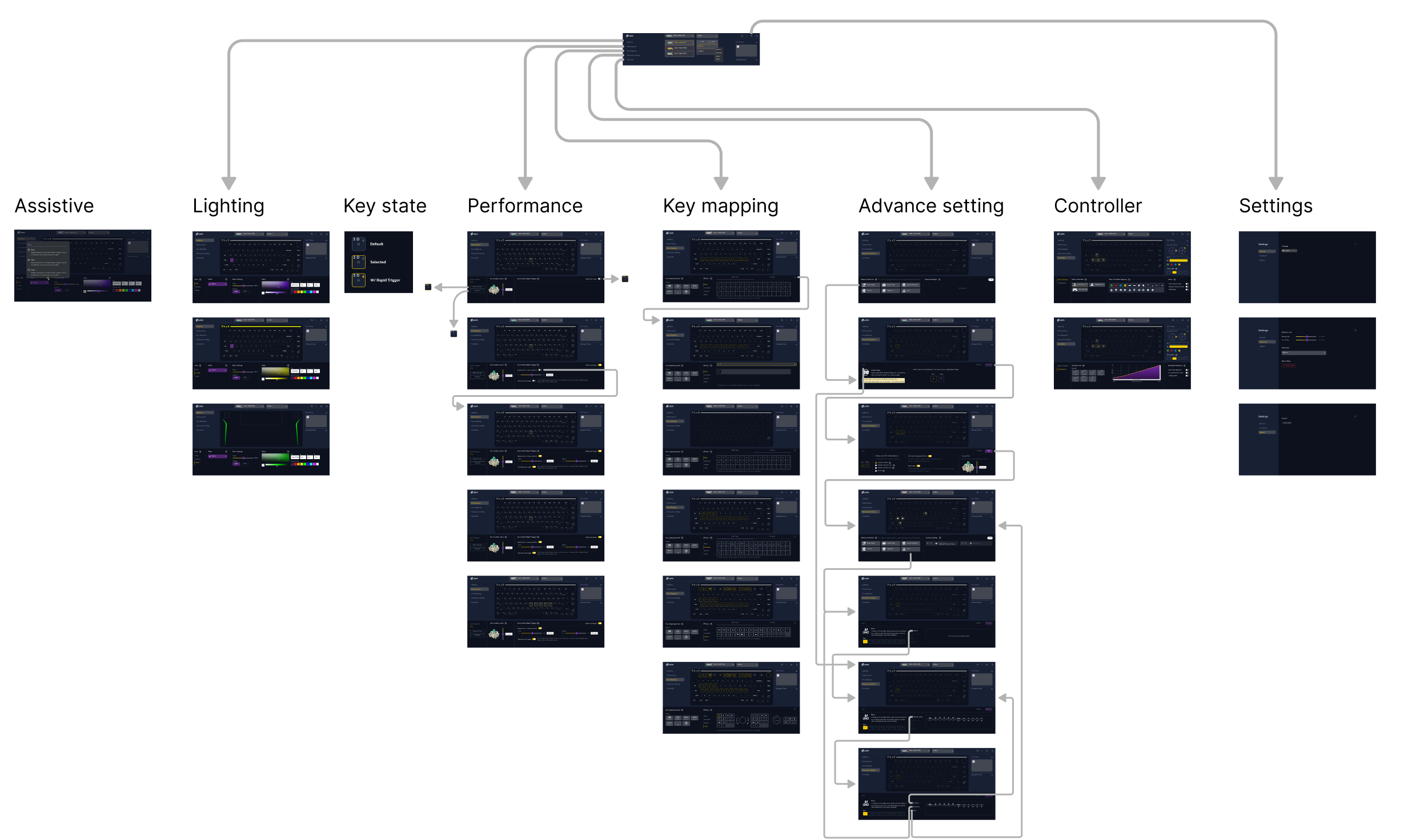
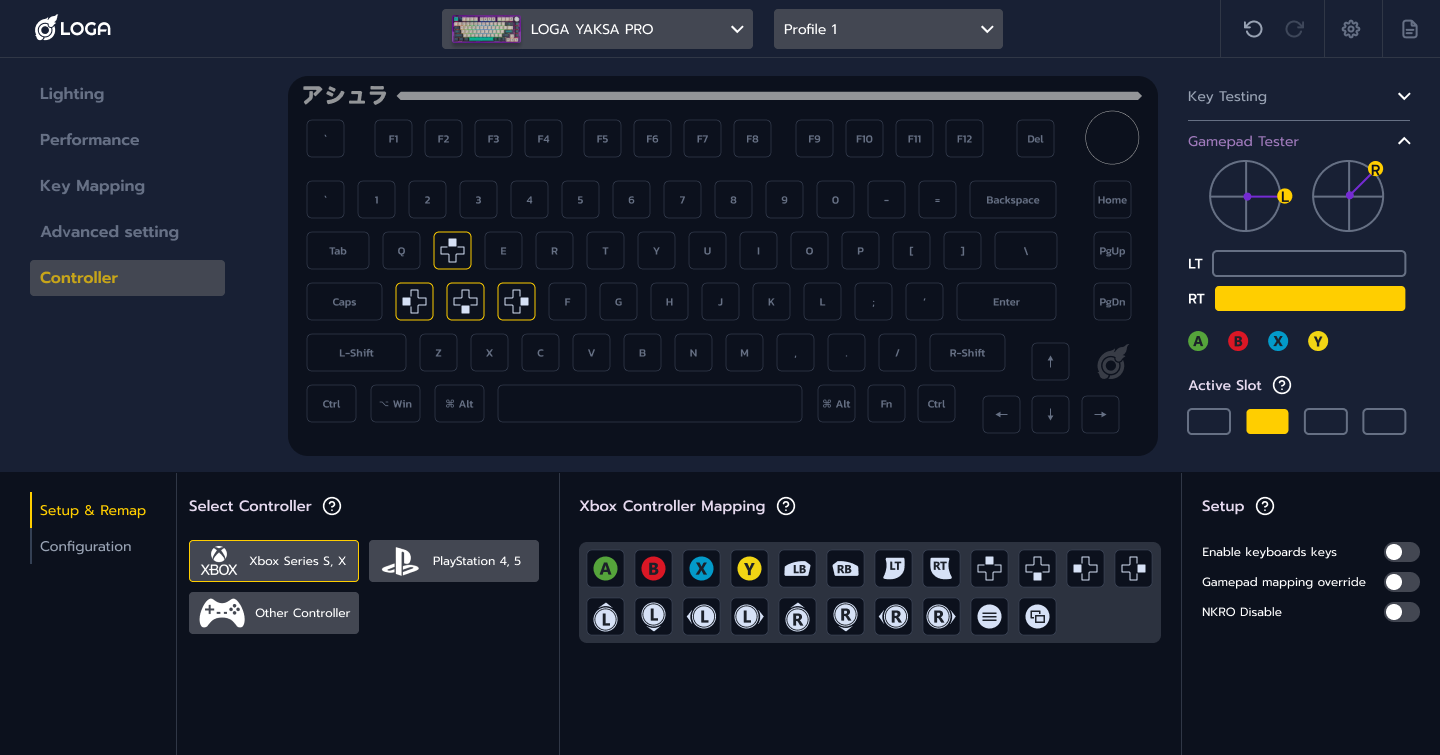
The redesign brought separate feature screens into a shared configuration system.

Consistent layouts, controls, and feedback help users apply what they learn across features.

Modular sections support each device’s settings and allow new features to fit the same structure.

Design Principles

One workspace

Keep navigation, settings, and contextual controls in one workspace to reduce switching between screens.

Reusable modules

Build settings from shared modules that can adapt to different devices and features.

Detail when needed

Show essential controls first, with advanced options available when users need them.

Consistent interactions

Use the same selection, editing, and feedback patterns across features so users know what to expect.

Complexity → Configuration architecture → Modular system

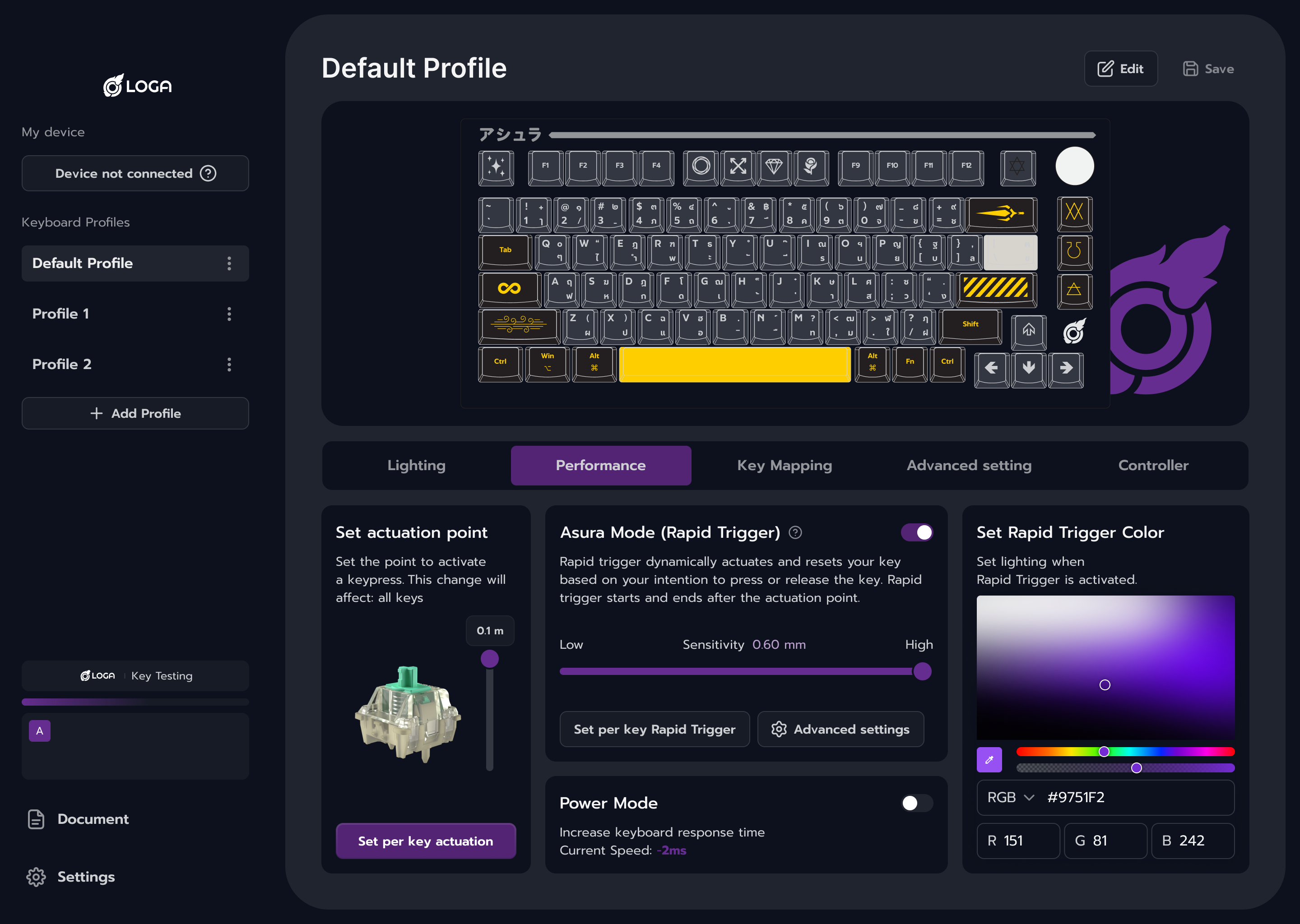
Simpler performance settings

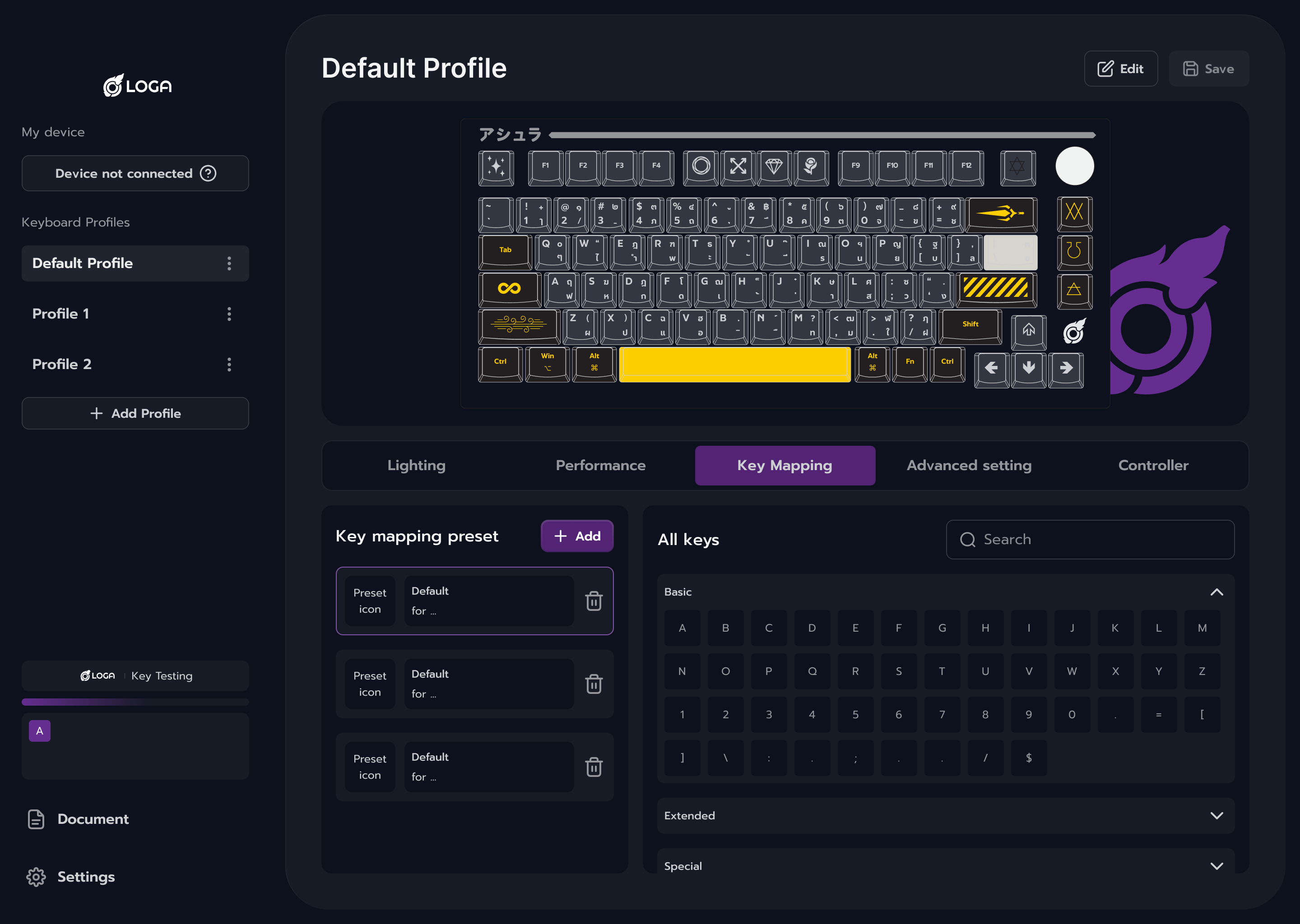
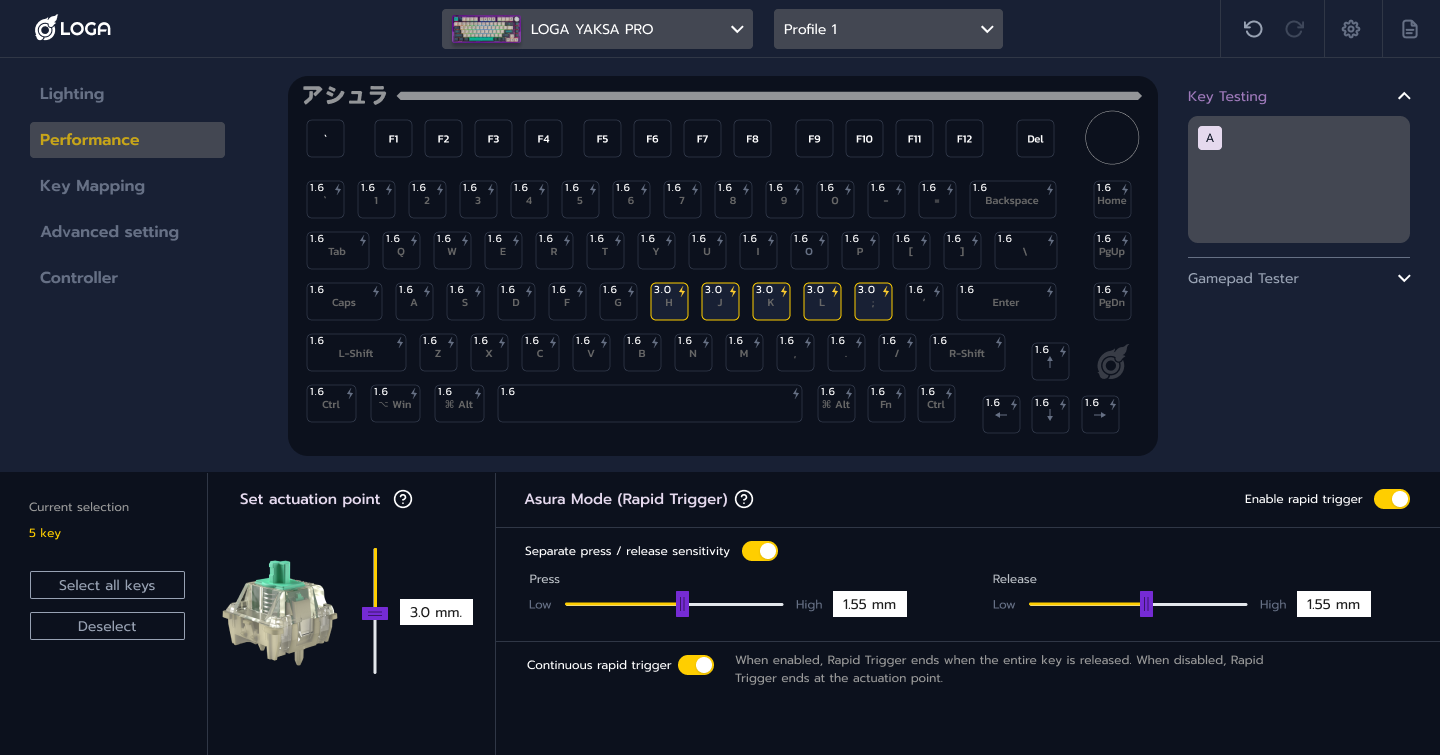
Actuation and Rapid Trigger controls are grouped into focused workflows. Related settings stay together, making advanced adjustments easier to understand and configure.

3.0

H

Default

3.0

H

Selected

3.0

H

W/ Rapid Trigger

Controls in context

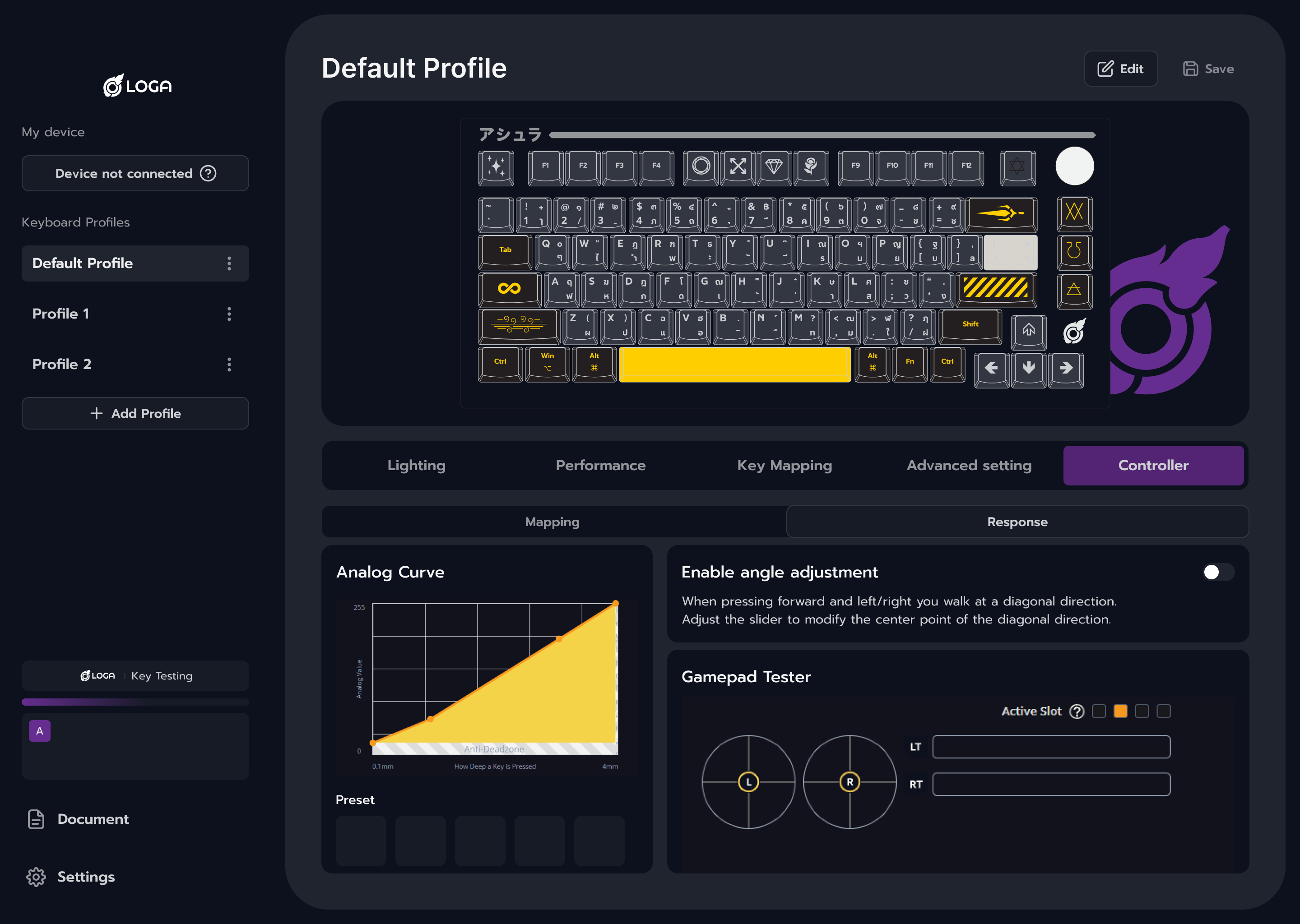
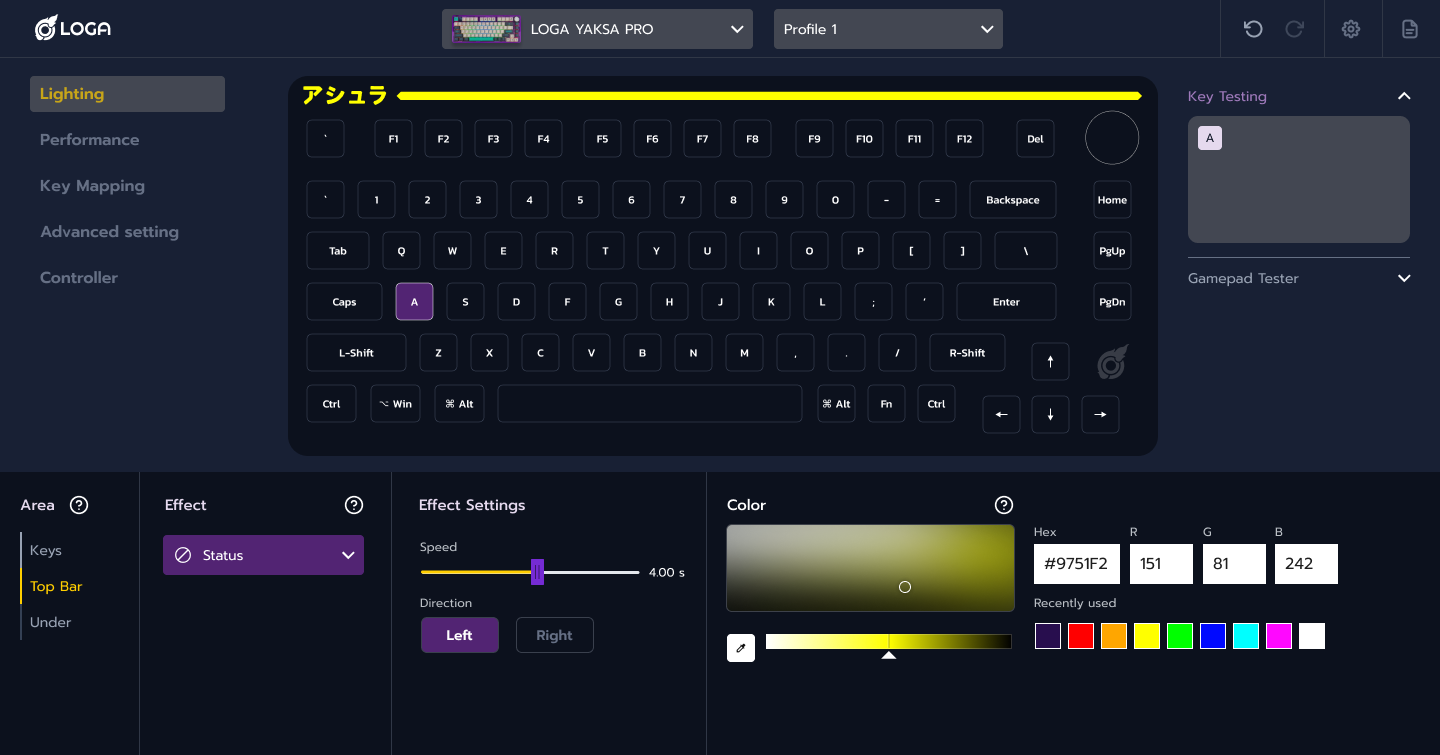
Related controls and their current states stay visible in the same workspace. Users can make adjustments and see feedback without moving between separate screens.

Live keyboard preview

A live keyboard preview shows lighting effects and key states as settings change. Users can see the effect of an adjustment without leaving the configuration screen.

A

S

A

S

A

S

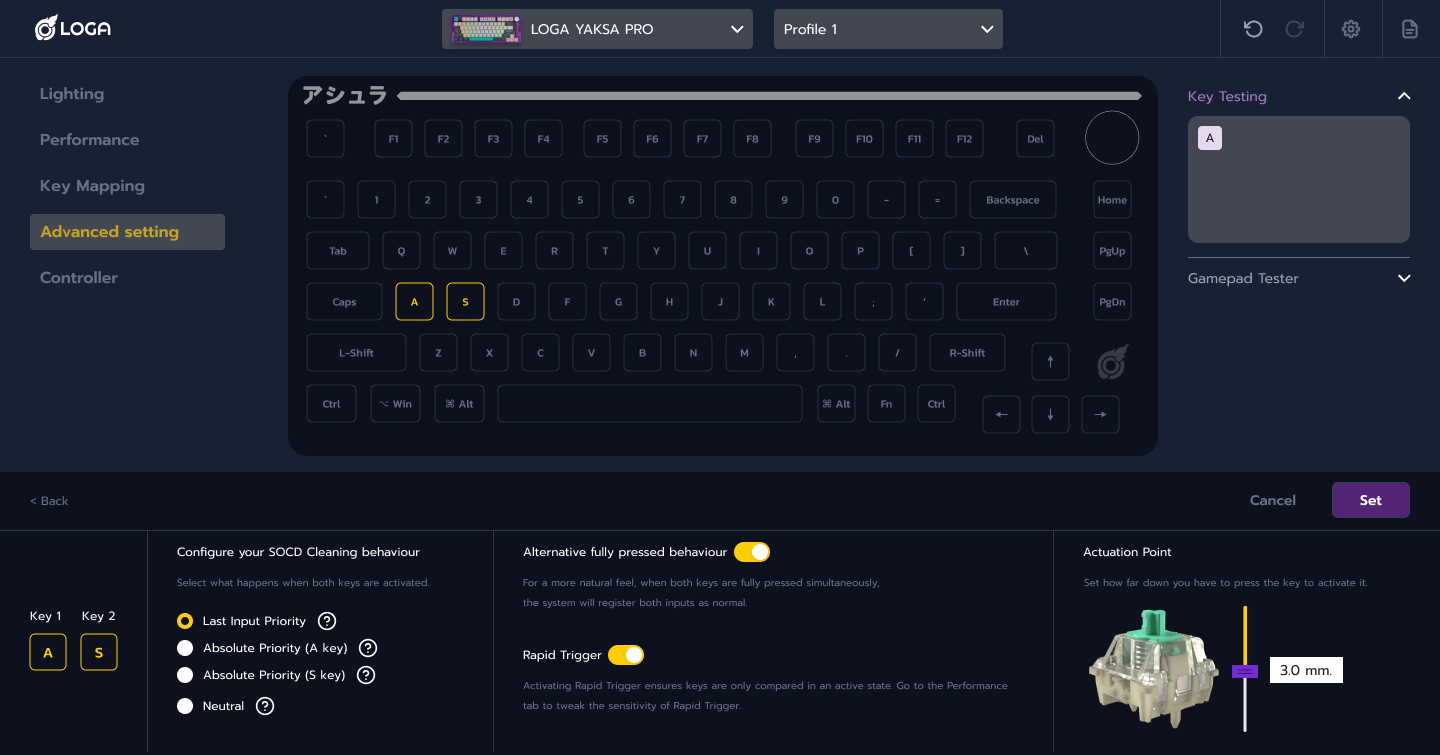
Guided SOCD setup

The setup introduces key selection and input settings step by step, with visual feedback showing each choice. This helps users configure SOCD without having to understand every technical detail upfront.

From device-specific to modular

Shared navigation and interaction patterns form the base of the system, with separate modules for each device’s settings. New devices and features can fit the same structure, reducing the need to redesign the interface each time.

Before : Separate device interfaces

  • Fixed layouts for each device.
  • Features added to individual screens.
  • Growing complexity as features expanded.

After : Shared modular structure

  • Shared navigation and interaction patterns.
  • Reusable modules for each device’s settings.
  • New features fit within the same structure.

Research Focus

Research covered gaming peripheral software and advanced keyboard technologies. I compared how settings were organized and how users moved between tasks, focusing on where the interface made complex features harder to understand.

How much complexity came from the technology,and how much came from the interface?

Advanced features can take time to learn.

The research focused on separating that learning from the extra effort caused by scattered settings, inconsistent controls, and unclear feedback.

This distinction guided what needed clearer explanation and what needed a simpler structure, while preserving the capabilities of each feature.

The old system used too much spaceand its workflows were not well aligned.

Existing System Challenges

Inconsistent workflows

Layouts and controls differed across features and devices, so users had to learn each workflow separately.

Higher learning effort across workflows.

Too much at once

Advanced settings were shown together, making key controls harder to find and understand.

Slower scanning and comprehension.

Hard to extend

New devices and features were difficult to add without making the interface more complex.

Expansion increased structural complexity.

Unclear feedback

Settings offered little context or feedback, making it hard to understand what changes would do.

Changes became harder to predict and control.

From Features to a Configuration System

The redesign brought separate feature screens into a shared configuration system.

Consistent layouts, controls, and feedback help users apply what they learn across features.

Modular sections support each device’s settings and allow new features to fit the same structure.

Design Principles

One workspace

Keep navigation, settings, and contextual controls in one workspace to reduce switching between screens.

Reusable modules

Build settings from shared modules that can adapt to different devices and features.

Detail when needed

Show essential controls first, with advanced options available when users need them.

Consistent interactions

Use the same selection, editing, and feedback patterns across features so users know what to expect.

Complexity

Configuration architecture

Modular system

Simpler performance settings

Actuation and Rapid Trigger controls are grouped into focused workflows. Related settings stay together, making advanced adjustments easier to understand and configure.

3.0

H

Default

3.0

H

Selected

3.0

H

W/ Rapid Trigger

Controls in context

Related controls and their current states stay visible in the same workspace. Users can make adjustments and see feedback without moving between separate screens.

Live keyboard preview

A live keyboard preview shows lighting effects and key states as settings change. Users can see the effect of an adjustment without leaving the configuration screen.

A

S

A

S

A

S

Guided SOCD setup

The setup introduces key selection and input settings step by step, with visual feedback showing each choice. This helps users configure SOCD without having to understand every technical detail upfront.

From device-specific to modular

Shared navigation and interaction patterns form the base of the system, with separate modules for each device’s settings. New devices and features can fit the same structure, reducing the need to redesign the interface each time.

Before : Separate device interfaces

  • Fixed layouts for each device.
  • Features added to individual screens.
  • Growing complexity as features expanded.

After : Shared modular structure

  • Shared navigation and interaction patterns.
  • Reusable modules for each device’s settings.
  • New features fit within the same structure.

Project Outcome

Turning advanced peripheral control into a scalable system

Rather than simplifying the product by removing advanced capabilities, the redesign simplified how those capabilities are structured and accessed.

A shared configuration model reduced fragmentation between features, kept complex controls contextual, and created a more predictable experience across devices. The modular architecture also established a stronger foundation for future hardware and configuration capabilities.