

PRODUCT DESIGN · UX STRATEGY · INFORMATION ARCHITECTURE

Material Showcase

Industry

Architecture

& Interior Design

Role

Product Designer

UX Strategy

Scope

UX Research

Information Architecture

User Flows

UI Design

Prototyping

Creative Direction

Platform

Web

Year

2024

Market

USA

Overview

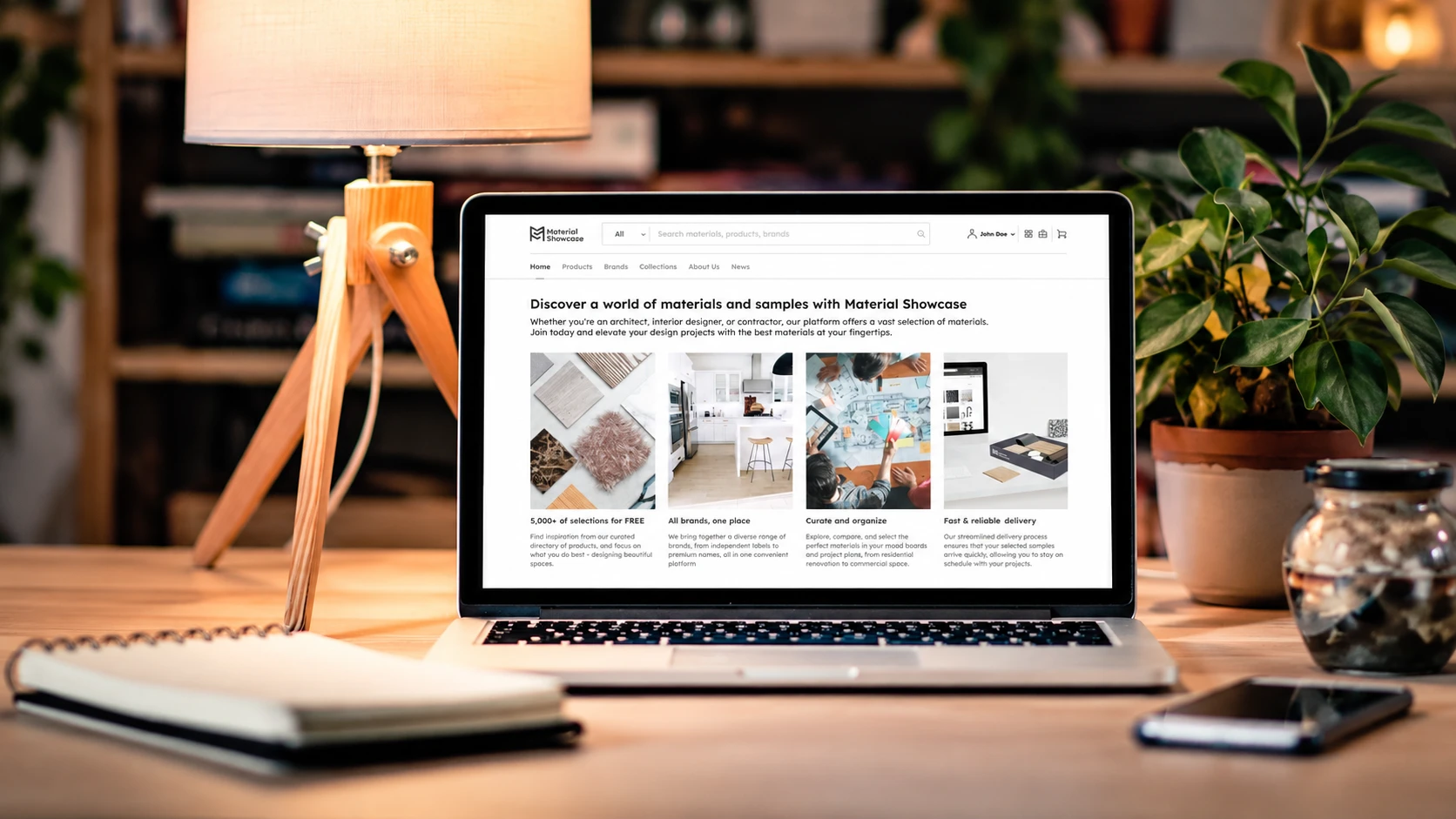
Material Showcase brings materials from multiple brands into one platform for architects and interior designers.

Choosing materials requires both visual inspiration and reliable product information. The design connected browsing, technical details, and sample requests to help designers assess options for their projects.

Key objectives

  • Make large catalogs easier to browse and narrow down.
  • Help designers assess materials through clear images and technical details.
  • Connect discovery, comparison, specification, and sample requests.
  • Support more brands, material categories, and product types.

The Challenge : Choosing from a Large Catalog

Designers need to compare how materials look, where they can be used, and whether their specifications and availability suit a project. Across thousands of products, the challenge was to make those details easy to find and assess while keeping the catalog easy to explore.

Research Synthesis

The research examined how designers discover materials, what they need before shortlisting, and where existing catalogs create uncertainty or extra effort.

The Needs

  • Clear images, descriptions, and technical specifications.
  • Information to assess appearance and practical suitability.
  • Ways to narrow a large catalog to relevant options.
  • Product details and samples for further evaluation.

The Pains

  • Too many options to sort through.
  • Technical details that are inconsistent or hard to compare.
  • Similar-looking materials that are difficult to tell apart.
  • Separate steps for research, comparison, and sample requests.

Findings

Designers needed support to move from initial interest to a confident choice.

Browsing needs direction

Clear categories and filters help narrow a large catalog to relevant options.

Images need supporting details

Appearance alone cannot show whether a material suits a project. Specifications and application details need to sit alongside imagery.

Choosing takes several steps

Designers move through inspiration, product research, comparison, and sample evaluation before making a decision.

Structuring the Material Decision Journey

The platform follows how designers choose materials, from discovery and evaluation to shortlisting, specification, and sample requests.

Each stage brings the relevant product information into view, helping designers narrow their options and assess what fits their project.

Discover → Evaluate → Shortlist / Specify → Request / Order

↓

Finding relevant materials

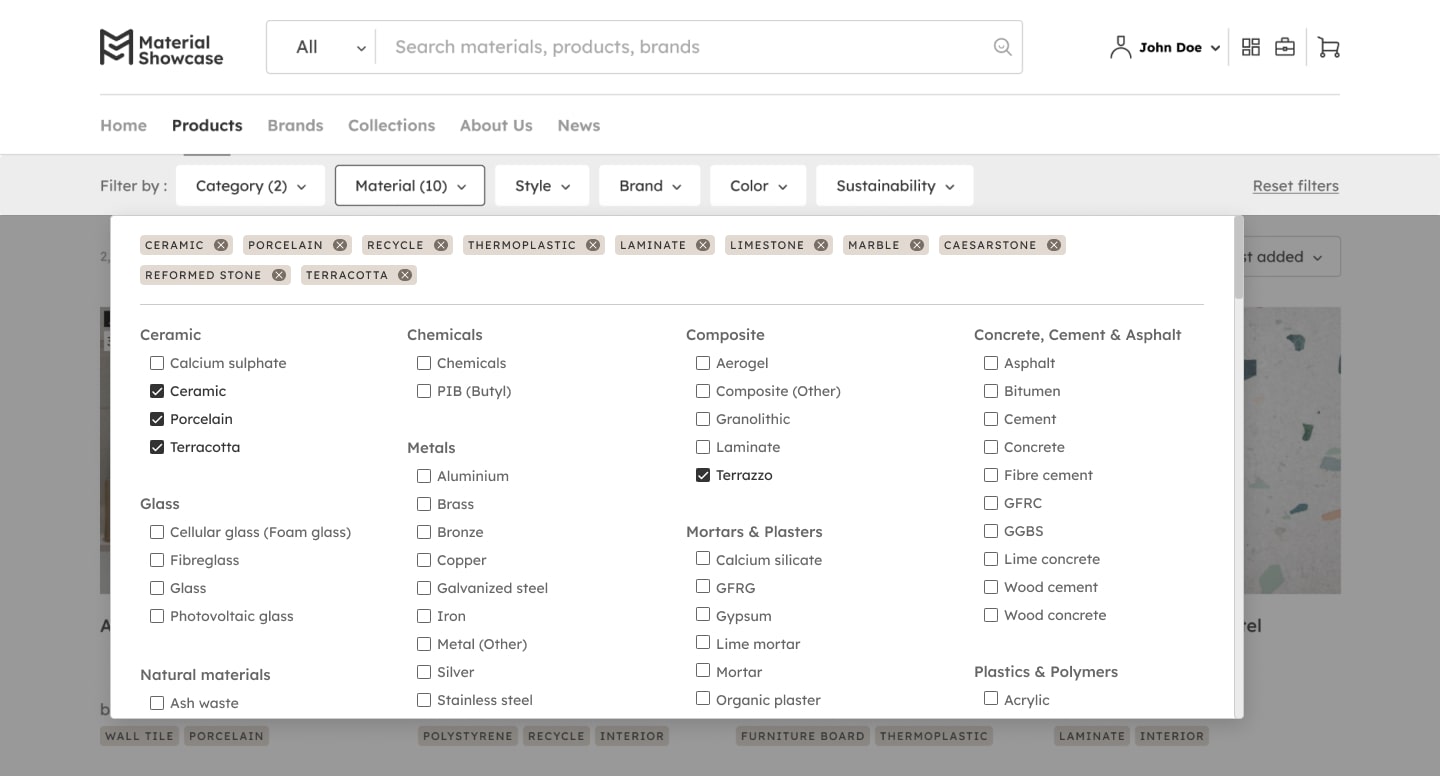
Browsing starts with material categories, with filters for application, appearance, and technical requirements. Designers can narrow the catalog using the details that matter to their project, without following a fixed search path.

Result : Narrowing a huge catalog

A shared structure for multiple brands

Brands and distributors use the same structure for product details, specifications, and related materials. This keeps information consistent across the catalog and supports additional brands and categories as the platform grows.

Result : Business / System scalability

Evaluating before shortlisting

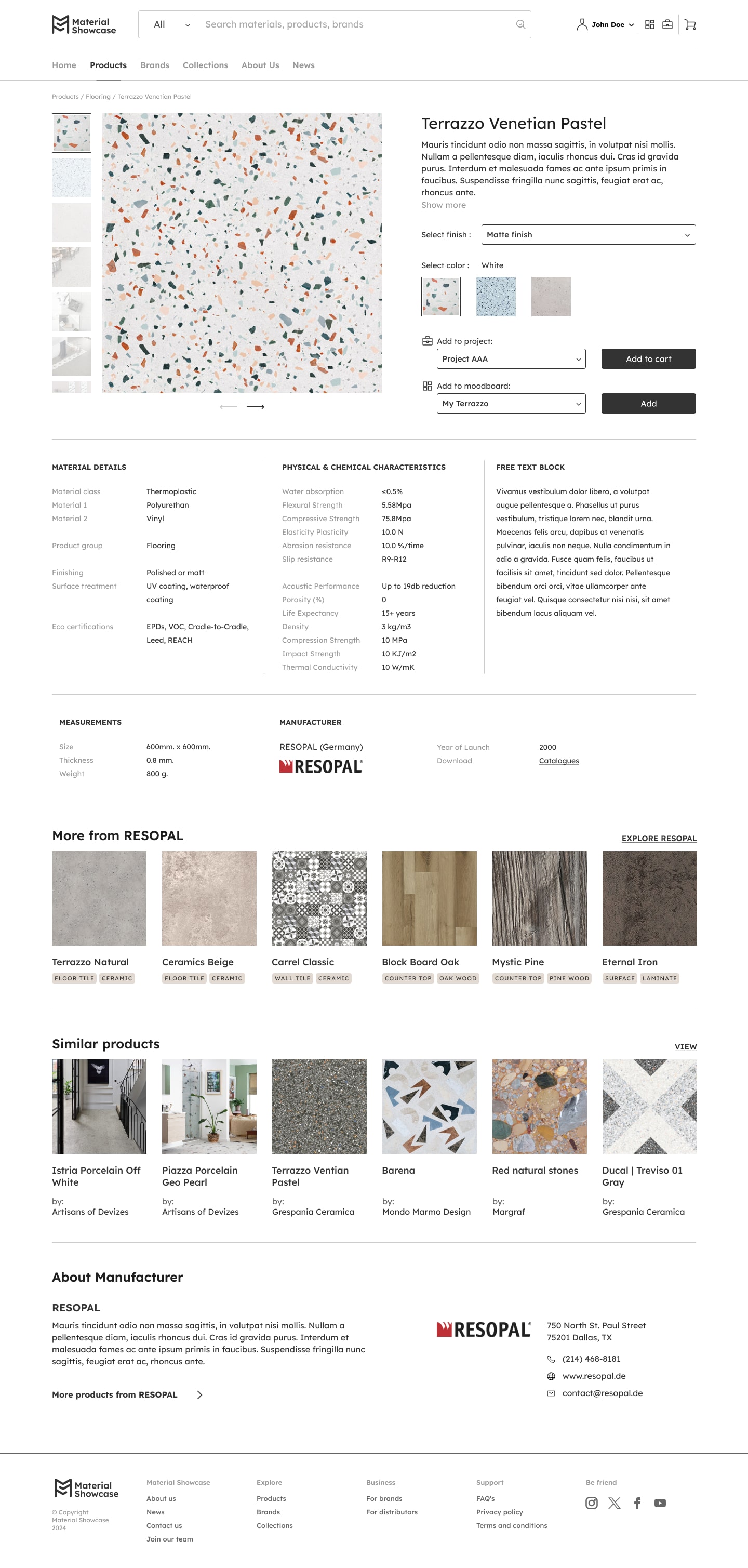
Product cards and detail pages bring images, specifications, and application information together. Designers can assess how a material looks and where it can be used before shortlisting it or requesting samples.

Result : Decision quality

Connecting inspiration to products

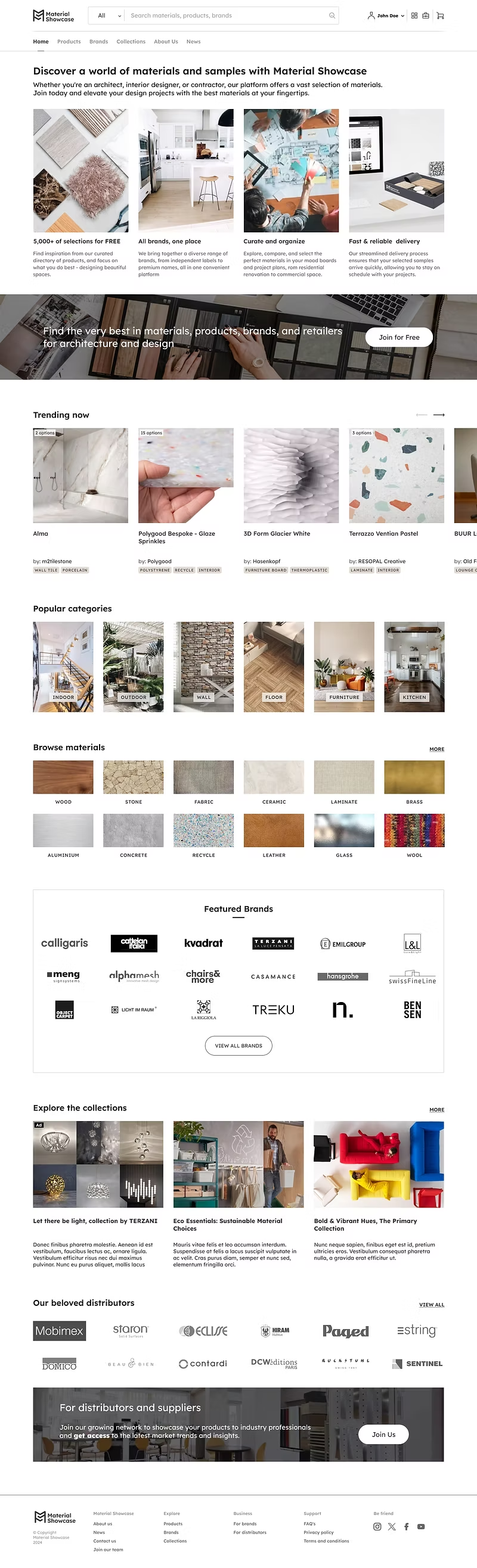
Collections and editorial content link directly to individual products. Designers can move from an idea to material details and sample requests, keeping inspiration connected to the choices they need to make.

Result : Inspiration → Actionable discovery

Testing the Discovery Structure

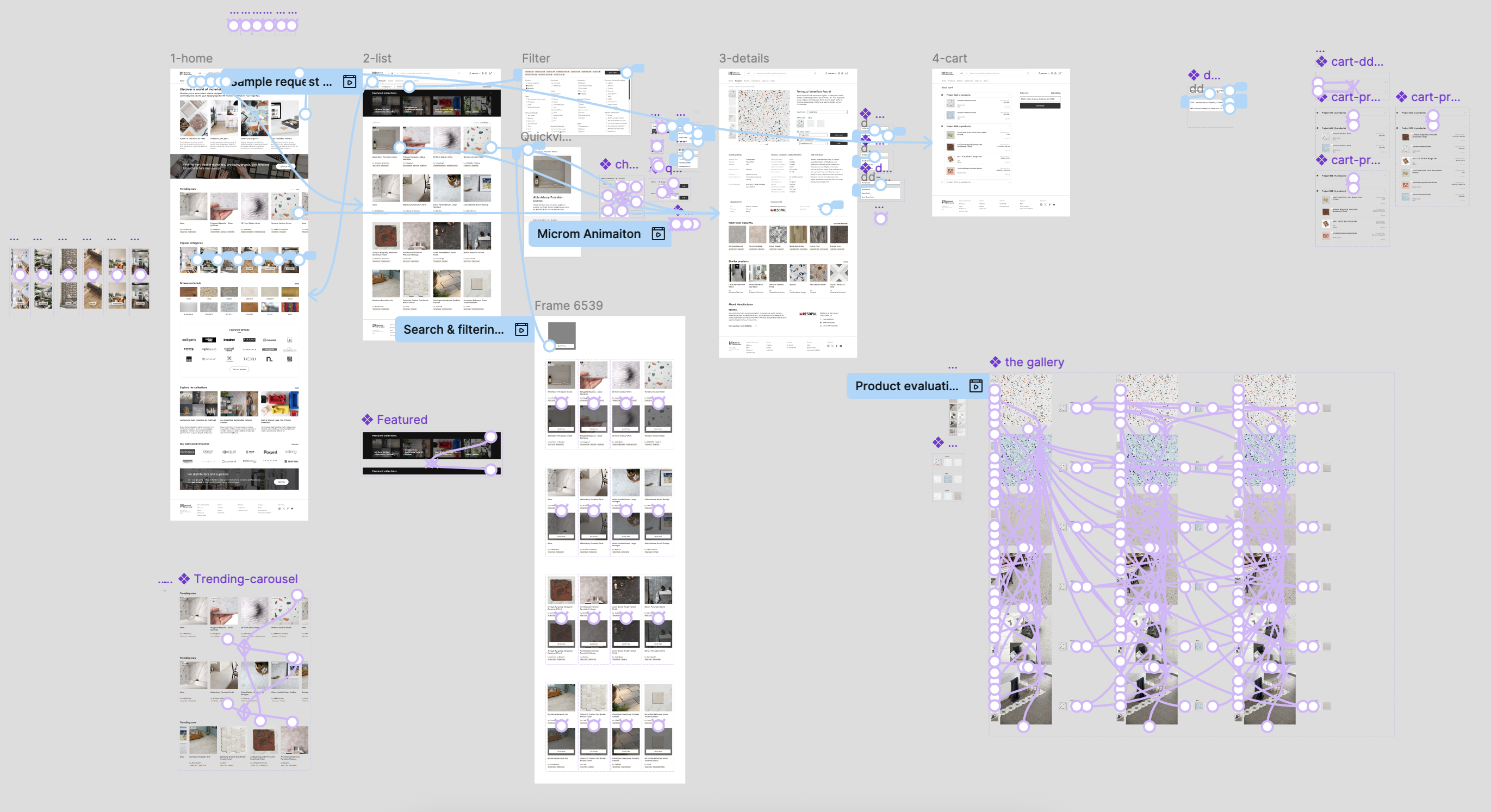
Wireframes and prototypes were used to test the paths from browsing and filtered results to product details and sample requests. Iterations focused on making the catalog easier to scan while keeping the technical details designers need to evaluate materials.

The Challenge : Choosing from a Large Catalog

Designers need to compare how materials look, where they can be used, and whether their specifications and availability suit a project. Across thousands of products, the challenge was to make those details easy to find and assess while keeping the catalog easy to explore.

Research Synthesis

The research examined how designers discover materials, what they need before shortlisting, and where existing catalogs create uncertainty or extra effort.

The Needs

  • Clear images, descriptions, and technical specifications.
  • Information to assess appearance and practical suitability.
  • Ways to narrow a large catalog to relevant options.
  • Product details and samples for further evaluation.

The Pains

  • Too many options to sort through.
  • Technical details that are inconsistent or hard to compare.
  • Similar-looking materials that are difficult to tell apart.
  • Separate steps for research, comparison, and sample requests.

Findings

Designers needed support to move from initial interest to a confident choice.

Browsing needs direction

Clear categories and filters help narrow a large catalog to relevant options.

Images need supporting details

Appearance alone cannot show whether a material suits a project. Specifications and application details need to sit alongside imagery.

Choosing takes several steps

Designers move through inspiration, product research, comparison, and sample evaluation before making a decision.

Structuring the Material Decision Journey

The platform follows how designers choose materials, from discovery and evaluation to shortlisting, specification, and sample requests.

Each stage brings the relevant product information into view, helping designers narrow their options and assess what fits their project.

Discover

Evaluate

Shortlist / Specify

Request / Order

Finding relevant materials

Browsing starts with material categories, with filters for application, appearance, and technical requirements. Designers can narrow the catalog using the details that matter to their project, without following a fixed search path.

Result : Narrowing a huge catalog

Evaluating before shortlisting

Product cards and detail pages bring images, specifications, and application information together. Designers can assess how a material looks and where it can be used before shortlisting it or requesting samples.

Result : Decision quality

A shared structure for multiple brands

Brands and distributors use the same structure for product details, specifications, and related materials. This keeps information consistent across the catalog and supports additional brands and categories as the platform grows.

Result : Business / System scalability

Connecting inspiration to products

Collections and editorial content link directly to individual products. Designers can move from an idea to material details and sample requests, keeping inspiration connected to the choices they need to make.

Result : Inspiration → Actionable discovery

Testing the Discovery Structure

Wireframes and prototypes were used to test the paths from browsing and filtered results to product details and sample requests. Iterations focused on making the catalog easier to scan while keeping the technical details designers need to evaluate materials.

Project Outcome

Turning browsing into a guided decision journey

Material Showcase transformed a large, information-dense material library into a structured decision-support experience built around how designers discover, evaluate, and specify materials.

The shared system connects discovery, filtering, product evaluation, inspiration, and sample requests within one continuous journey, while creating a scalable foundation for additional brands, categories, and material-specific information.